
Developer Resources
Jev System One Model: A Practical Guide to Typed AI Decisions
Understand what the Jev System One model does, how State and typed Questions work, and how to connect probability-backed decisions to production software, APIs, and AI agents.
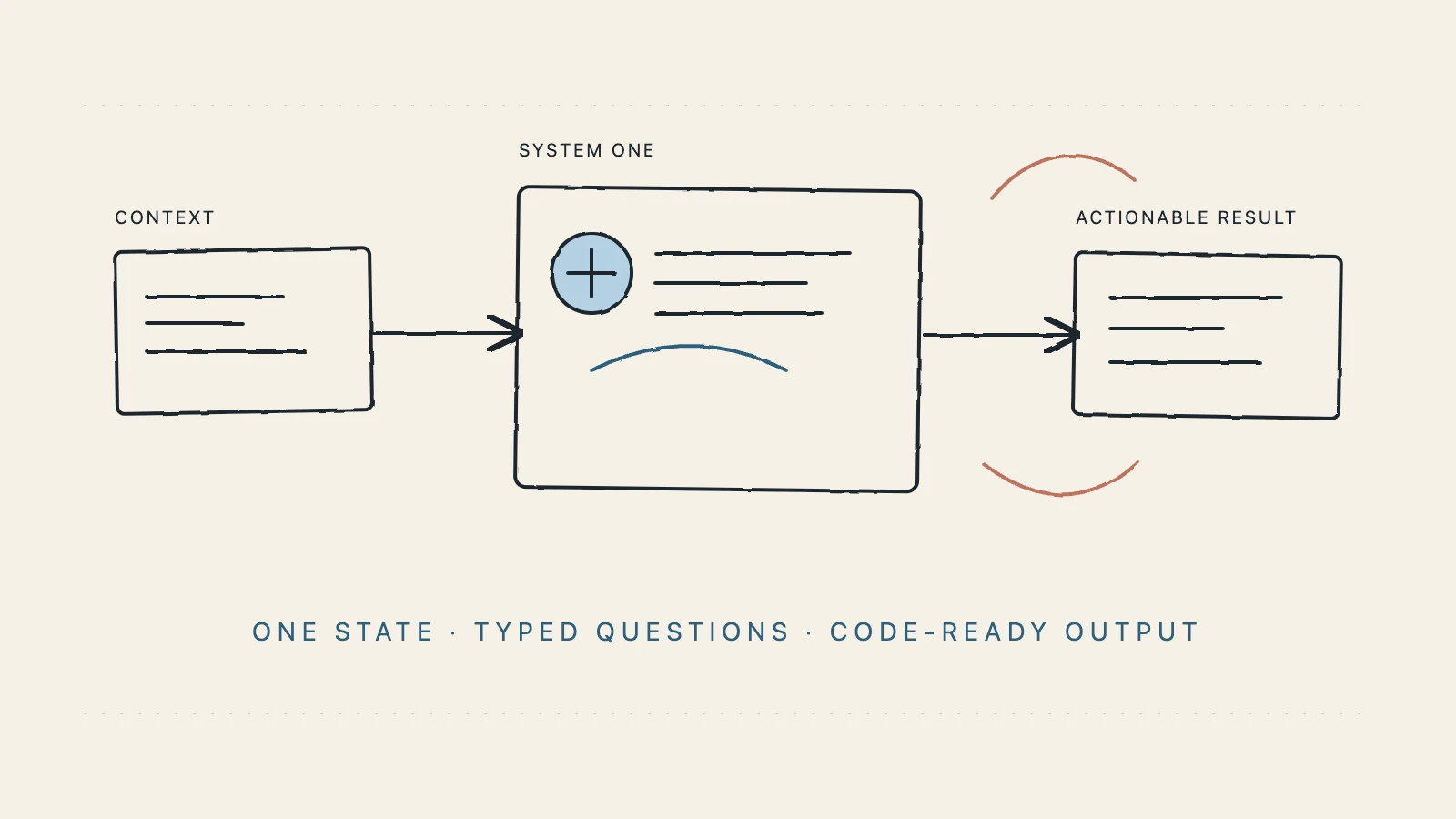
Most AI products are designed around generation: write a reply, summarize a document, create a plan, or produce code. Software teams also need a different capability. They need to make the same small judgments repeatedly: Which queue should receive this ticket? Is this tool call risky? Does this request need a human? Is the evidence strong enough to publish?
That is the problem the jev system one model is built to address. Instead of asking an open-ended model for a paragraph and then trying to parse the meaning, you send a piece of state and a set of typed questions. Jev returns structured answers that your application can validate, log, threshold, and pass into ordinary control flow.
This guide explains the model in practical terms. It covers the System One idea, the request shape, the three question types, API integration, probability and confidence, production boundaries, and the relationship between Jev and a generative LLM. The goal is not to add an AI call everywhere. The goal is to put a clear decision boundary in the places where software already has to choose what happens next.
Table of contents
- What “System One” means in software
- Why applications need a decision model
- How the Jev System One model works
- The three typed question types
- How to design useful State
- A minimal API request
- A complete support-triage example
- Probability, confidence, and thresholds
- Using Jev with LLMs and agents
- Production checklist
- Boundaries, evaluation, and common mistakes
- Frequently asked questions
What “System One” means in software
In the product language of Jev, System One is a focused decision layer for software. It is not a replacement for your application, permissions, workflow engine, or generative model. It receives a defined state, evaluates bounded questions, and returns a typed signal that code can use.
The separation is useful because generation and decision-making have different failure modes. A generative model can be excellent at drafting a response while still being a poor place to encode a strict routing policy. A free-form response can say “this looks urgent” in several different ways. A typed answer can return an explicit is_urgent field, a probability, and a path that your code knows how to handle.
The simplest mental model is:
state + typed questions → Jev System One → structured answers → application action
The application still owns the action. If Jev says a ticket is probably urgent, your code decides whether to page an on-call engineer, move a queue, ask for more evidence, or send the case to a person. That ownership is important for auditability and safety.
For an overview of the product’s input and output model, see the Jev Model documentation. It is the best reference for current field names and response details.
Why applications need a decision model
Many product workflows already contain hidden decisions. They may appear as long chains of prompts, regular expressions, hard-coded branches, or manual review queues:
- a support request is assigned to billing, technical, account, or sales;
- a proposed agent action is allowed, confirmed, or rejected;
- a lead is scored before it enters a sales queue;
- a piece of content is flagged for review;
- a long conversation is compressed, preserved, or reopened for context;
- a model router chooses a fast, deep, retrieval, or fallback path.
These decisions have three common properties. First, the answer space is bounded. Second, multiple questions often share the same state. Third, the result needs to flow into code rather than remain in a chat transcript.
The Jev System One model fits that shape. It lets you name the questions your application cares about, define criteria where a type needs them, and receive a stable answer shape. You can then write ordinary code around the result:
if (answer.needs_human.noul >= 0.8) {
  await queueForReview(ticket.id);
}
This does not make the decision automatically correct. It makes the boundary visible, testable, and easier to improve. Your team can measure how often a threshold sends work to review, compare model results with labeled outcomes, and change the policy without rewriting an entire conversational prompt.
How the Jev System One model works
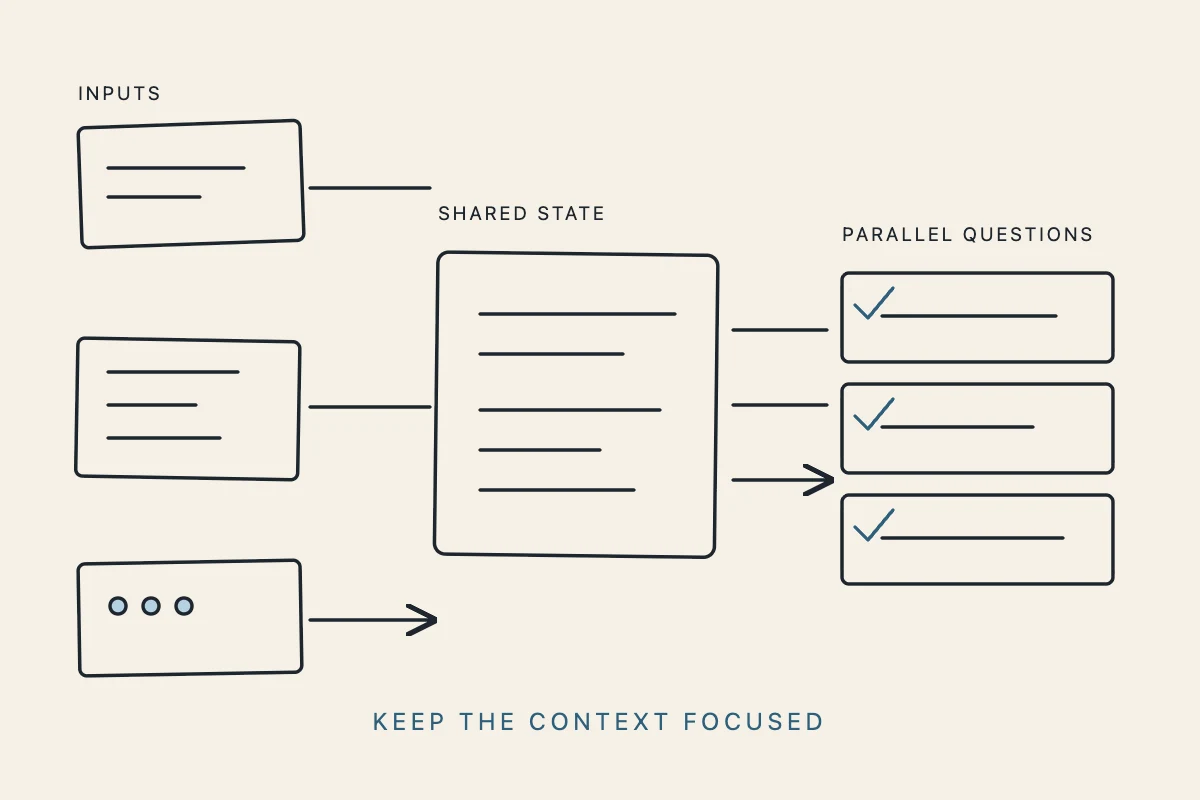
The model has three conceptual layers: State, Questions, and Answers.
1. State is the shared context
State is the content every question reads. It can be a string for a simple message, a JSON object for structured records, or an array of text items when the context is naturally made of several pieces. A support workflow might send a ticket, account tier, recent events, and policy as one object.
The best State is focused. Include the evidence needed to answer the questions, but avoid sending an entire database row or a full agent transcript when a smaller object will do. Focused inputs make the decision easier to explain and reduce accidental dependence on irrelevant fields.
2. Questions define the answer space
Each question should ask one specific thing. The question key is chosen by your application and is reused in the response. For example, team, severity, and needs_human are clearer than one broad instruction such as “decide what to do with this request.”
Multiple questions can share the same State and be evaluated in parallel. This is useful when one request needs a route, a severity signal, and a human-review signal. You do not need to chain three independent calls just to keep the outputs separate.
3. Answers return typed signals
The response uses the same question IDs you sent. Choice answers include the selected option, a probability distribution, and confidence. Score answers include a weighted score, a legend, per-level probabilities, and confidence. Noul answers include a value from 0 to 1 representing the probability that the proposition is true.
The output is structured, but your application should still validate the fields it relies on, apply risk-appropriate thresholds, and preserve a human-review path for consequential actions.
The three typed question types
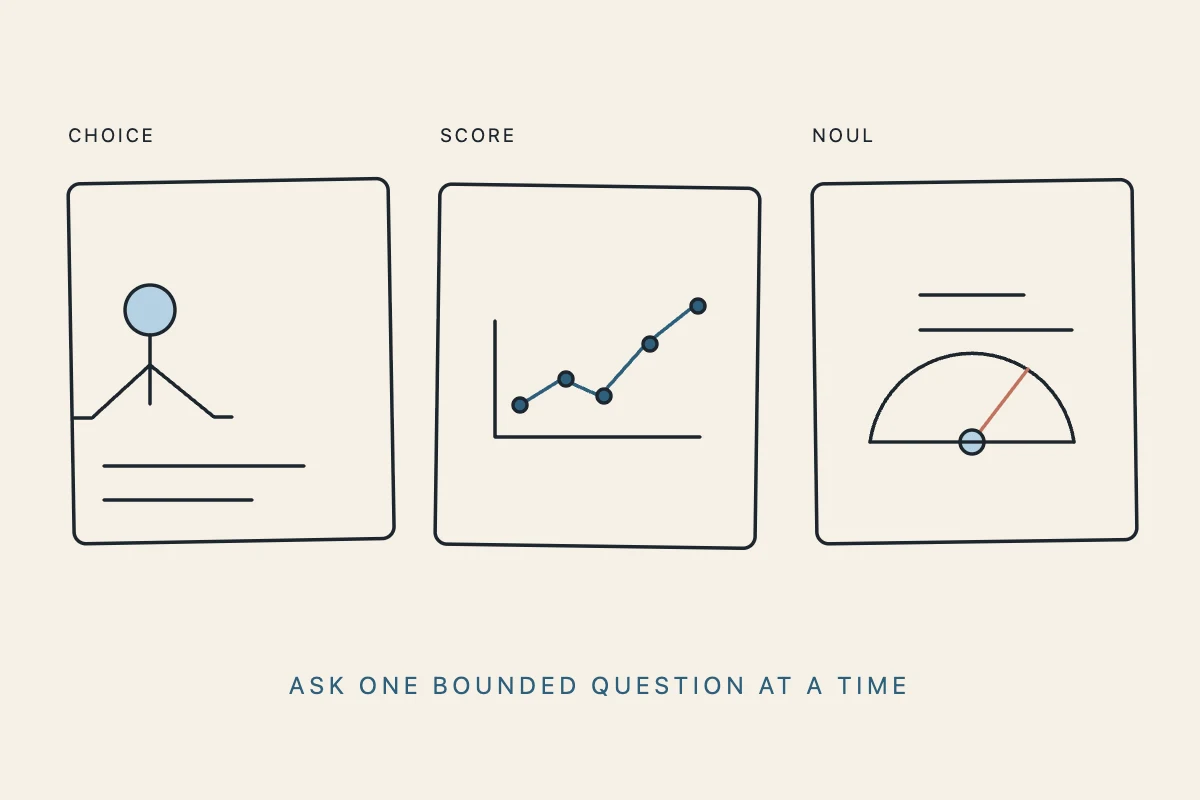
Choice: classify or route
Use choice when exactly one option from a predefined set should win. This is a good fit for department routing, model selection, content labels, or approved workflow paths. The criteria object maps each option to a description, which gives the model a clearer rubric than a list of unexplained labels.
{
  "team": {
    "type": "choice",
    "instructions": "Which approved team should handle this request?",
    "criteria": {
      "billing": "Payment, invoice, refund, or charge question",
      "technical": "A product failure or integration problem",
      "account": "Login, profile, or workspace access issue",
      "sales": "A buying question or enterprise evaluation"
    }
  }
}
Choice is strongest when the options are mutually understandable and the next action for each option is already defined in your system.
Score: rate an ordered spectrum
Use score when the answer is a level on an ordered scale, such as low to critical severity, calm to very frustrated, or early to late buying intent. The criteria is an ordered array from low to high. The returned score can land between levels because it is probability-weighted, so treat it as a signal for a policy rather than an unquestionable label.
{
  "severity": {
    "type": "score",
    "instructions": "How severe is the issue for the customer?",
    "criteria": [
      "Informational; no user impact",
      "Limited impact; workaround exists",
      "Major impact; core workflow is blocked",
      "Critical; widespread or security-sensitive impact"
    ]
  }
}
Noul: judge whether a proposition is true
Use noul for a yes-or-no judgment. The result is a number from 0 to 1, where 0 means “no” and 1 means “yes.” A Noul question should be a focused proposition, not an invitation to produce a plan.
{
  "needs_human": {
    "type": "noul",
    "instructions": "Does this proposed action require human approval?",
    "criteria": {
      "true": "It is sensitive, destructive, irreversible, or unclear",
      "false": "It is reversible, within policy, and well supported by evidence"
    }
  }
}
Noul is particularly useful for safety gates, evidence checks, escalation, and completion verification. It does not grant permission; it gives your policy another signal to consider.
How to design useful State
Good Jev integrations begin with input design, not with an SDK call. Ask what the decision-maker actually needs to see.
For a support ticket, a useful State could look like this:
{
  "ticket": {
    "subject": "Payouts have failed for three days",
    "message": "I tried twice today and still cannot withdraw funds.",
    "account_tier": "pro",
    "recent_events": ["payout_failed", "payout_failed", "payout_failed"]
  },
  "policy": {
    "critical_keywords": ["fraud", "locked", "data loss"],
    "human_review_required_for": ["account closure", "refund over 1000"]
  }
}
This is better than sending an entire customer record because each field has a reason to exist. It also makes evaluation easier: you can create labeled cases, change one piece of evidence, and see whether the decision moves in the expected direction.
Keep these principles in mind:
- State should contain evidence, not hidden instructions. Put policy in an explicit field and make the question explain what is being judged.
- Questions should be atomic. “Which team should handle this?” and “Does this need a person?” are two questions, not one overloaded prompt.
- Criteria should be operational. Describe what a label means in the workflow, not merely what the word sounds like.
- Remove unused context. Irrelevant fields can make a decision harder to reason about and harder to audit.
- Version the contract. Keep the State schema, question IDs, criteria, and threshold policy under version control.
The current input boundary is text, JSON objects, and arrays of text. Images, audio, and video are not supported as State inputs in the current documentation, so use a separate extraction step if your workflow starts with another modality.
A minimal API request
Once a decision works in the Jev Model Playground, connect it from a server. The current evaluation endpoint is:
POST https://jevmodel.net/v1/systemone
Send a Bearer API key and application/json. A minimal request looks like this:
curl -X POST https://jevmodel.net/v1/systemone \
  -H "Authorization: Bearer $JEV_API_KEY" \
  -H "Content-Type: application/json" \
  -d '{
    "model": "jev-latest",
    "state": "Help! My payouts have been failing for 3 days.",
    "questions": {
      "is_urgent": {
        "type": "noul",
        "instructions": "Does this message convey urgency?"
      }
    }
  }'
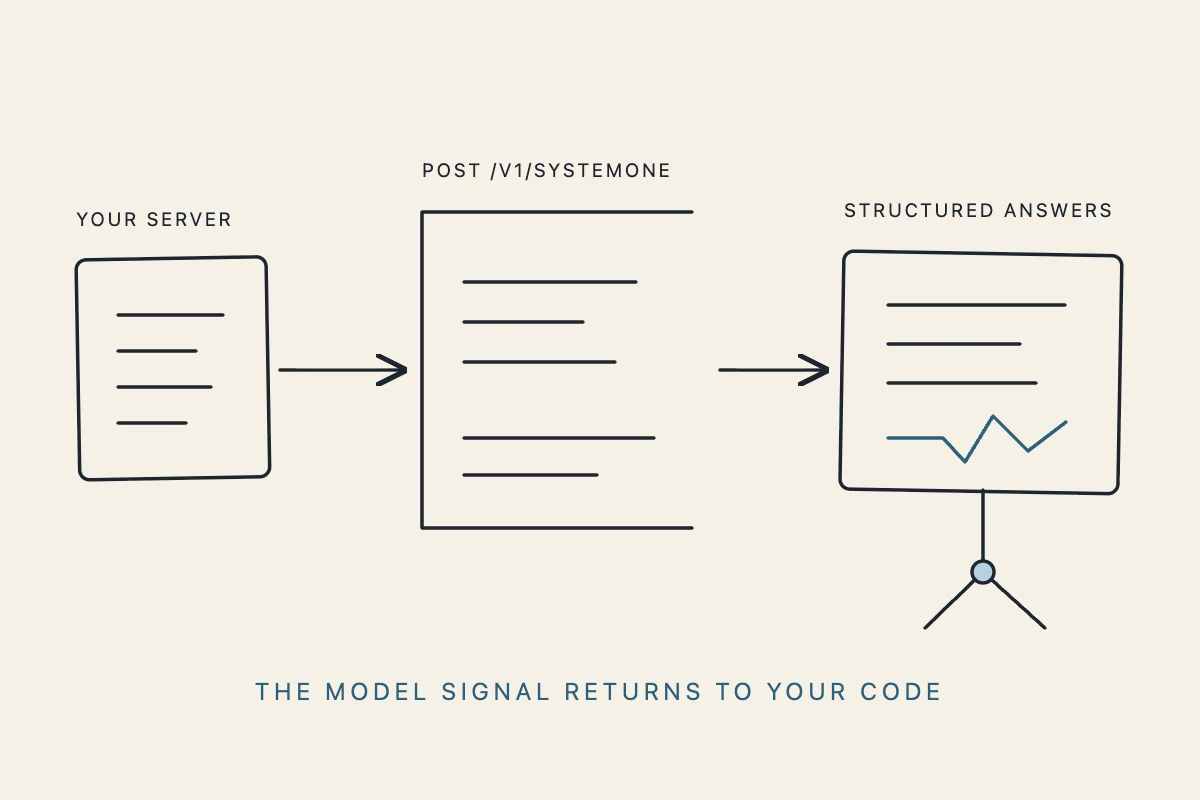
The important top-level fields are state, model, and questions. Use jev-latest as the flagship model name documented for the API. Keep the API key in a server-side environment variable. Do not put it in browser code, client-side bundles, public prompts, logs, or a committed repository.
For a typical response, your code can read the answer by its question ID:
{
  "model": "jev-1.13.0",
  "answers": {
    "is_urgent": {
      "type": "noul",
      "noul": 0.95
    }
  },
  "usage": {
    "input_tokens": 307,
    "output_tokens": 20
  }
}
The response may also include elapsed request time. Usage fields are useful for monitoring and cost analysis, while the answer fields are useful for application decisions.
A complete support-triage example
Imagine a support service that needs to assign a team, estimate severity, and decide whether a person should review the case. Those three questions can share one State:
{
  "model": "jev-latest",
  "state": {
    "subject": "Payouts have failed for three days",
    "message": "I have tried twice today and cannot withdraw funds.",
    "customer_tier": "pro",
    "recent_events": ["payout_failed", "payout_failed", "payout_failed"],
    "policy": "Escalate repeated payment failures and any fraud signal."
  },
  "questions": {
    "team": {
      "type": "choice",
      "instructions": "Which approved team should handle this ticket?",
      "criteria": {
        "billing": "Payments, invoices, refunds, or charges",
        "technical": "A product or integration failure",
        "account": "Access, identity, or workspace issue",
        "sales": "A buying or plan evaluation question"
      }
    },
    "severity": {
      "type": "score",
      "instructions": "How severe is the customer impact?",
      "criteria": ["low", "medium", "high", "critical"]
    },
    "needs_human": {
      "type": "noul",
      "instructions": "Does this ticket need human review before the next action?"
    }
  }
}
Your service can then keep execution deterministic:
const team = result.answers.team.choice;
const severity = result.answers.severity.score;
const humanProbability = result.answers.needs_human.noul;

if (humanProbability >= 0.8 || severity >= 2.5) {
  return queueForHumanReview({ ticketId, team, result });
}

return routeToTeam({ ticketId, team, priority: severity });
In real code, add allowlists, schema validation, idempotency, authorization, and audit logging around this branch. A model answer should never be the only protection around a refund, deletion, payment, account change, or external message.
Probability, confidence, and thresholds
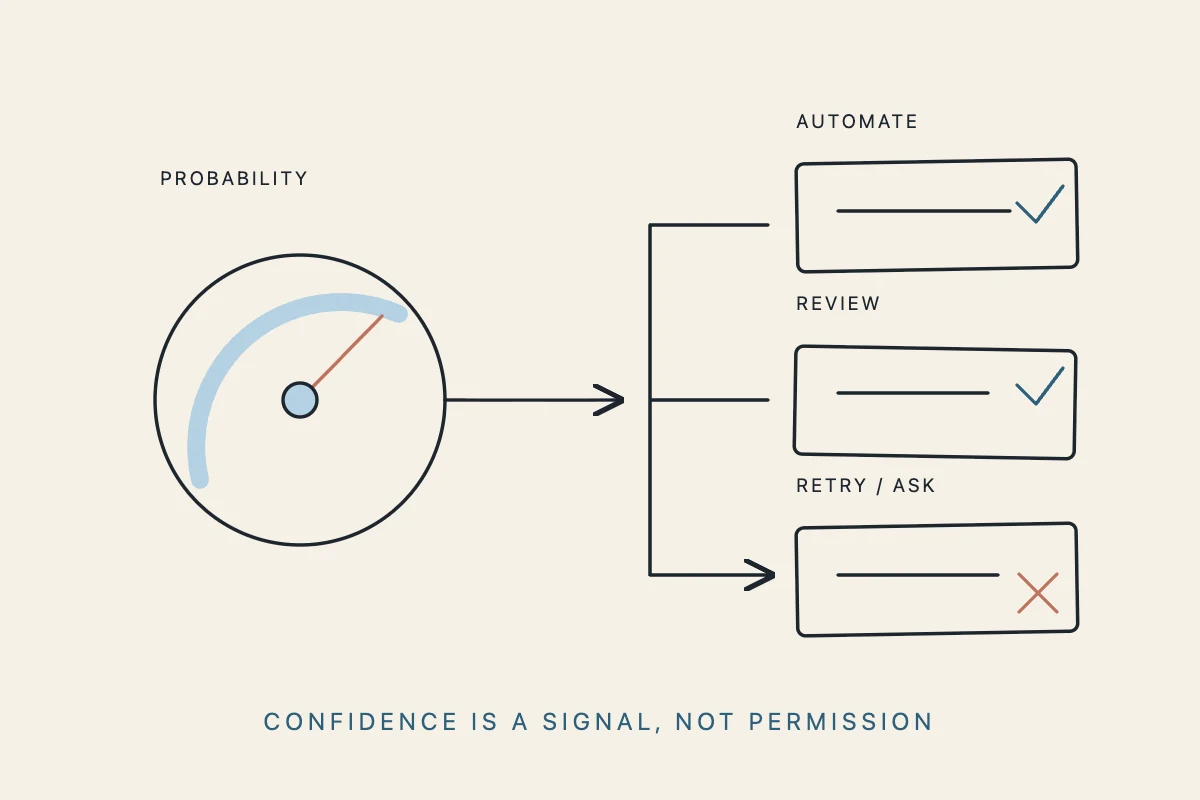
Probability is valuable because it lets you express uncertainty instead of collapsing every decision into a hard label. It is also easy to misuse. A probability is not a guarantee of business accuracy, and confidence is not the same thing as a measured success rate on your data.
Start with a three-way policy rather than one automatic cutoff:
- High signal: proceed only when the action is low-risk and the answer clears a tested threshold.
- Middle signal: request more context, retry with a controlled policy, or send the item to review.
- Low signal: stop or reject when the requested action is unsupported, unsafe, or outside policy.
The right threshold depends on the cost of errors. For an internal content tag, 0.65 may be a reasonable starting point for an experiment. For an irreversible account action, the system may need a much higher threshold plus deterministic permission checks and explicit user confirmation. Do not copy a threshold from another workflow just because the field has the same name.
Evaluate thresholds with a representative dataset. Track false positives, false negatives, review rate, latency, and the business cost of each error. Re-run that evaluation when you change the State schema, criteria wording, model, or downstream policy.
Using Jev with LLMs and agents
Jev and a generative LLM solve different parts of an AI system. An LLM can understand a broad request, draft a response, summarize evidence, or propose a plan. Jev can judge a bounded question against a defined answer space. Your application then decides which action is actually allowed.
For an AI agent, a practical loop looks like this:
- The agent reads the user request and proposes a next step.
- The application builds a focused State containing the proposed tool, arguments, permissions, policy, and evidence.
- Jev answers a Choice, Score, or Noul question about routing, risk, completeness, or evidence.
- Deterministic code checks authorization, resource scope, idempotency, and thresholds.
- The application executes, asks for confirmation, or queues a human review.
This division keeps an agent from silently turning a plausible plan into an authorized action. Jev can judge “Does this tool call require approval?” but it should not become the permission system. The host application still owns credentials and execution.
The same idea helps with model routing. A generative model can propose that a request is simple, but a typed Choice can select one of a small allowlist of models. The final service still enforces the allowlist, budget, and data policy.
If you are building agent workflows, compare this decision boundary with the patterns in the Jev AI API tutorial. It explains how to keep the API request small, interpret the returned types, and connect answers to application control flow.
Production checklist
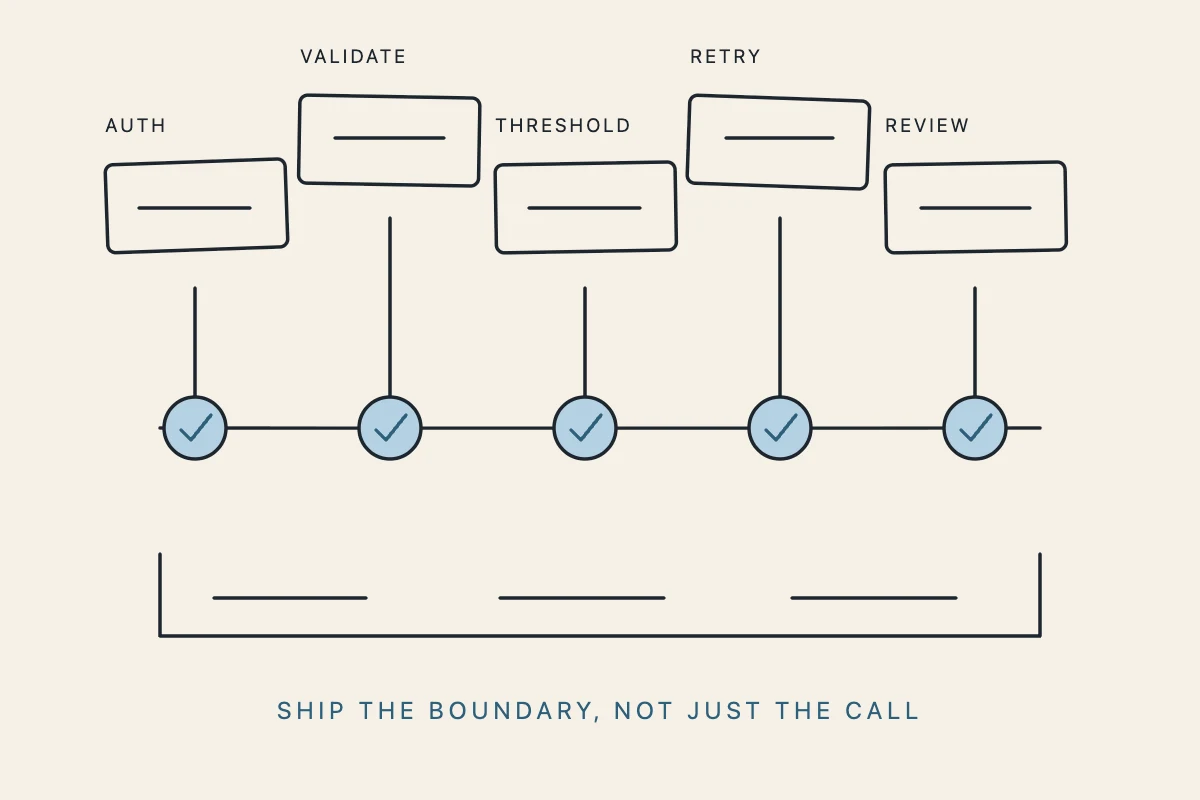
Before moving a Jev System One decision into a live workflow, check each layer:
Contract
- State is intentionally scoped and has a versioned shape.
- Question IDs are stable and descriptive.
- Choice criteria are mutually understandable.
- Score levels are ordered from low to high.
- Noul instructions describe one proposition.
Security
- API keys are server-side secrets, not browser variables.
- Authorization is enforced by your application before an action runs.
- Sensitive fields are minimized, redacted, or handled according to your data policy.
- Destructive actions require confirmation or human review.
Reliability
- Responses are schema-validated before use.
- Requests have timeouts and bounded retries.
- HTTP 401 errors trigger credential checks; 422 errors trigger payload fixes.
- HTTP 429 and 529 responses use exponential backoff rather than immediate repeated calls.
- Idempotency protects downstream actions from duplicate execution.
Observability
- Log the contract version, question IDs, answer, probability, threshold, and final action.
- Keep enough evidence to explain a review decision without storing unnecessary personal data.
- Monitor latency, token usage, error rate, automation rate, and review rate.
- Sample decisions for human quality review.
Evaluation
- Use representative examples, including ambiguous and adversarial cases.
- Measure performance separately for each question type and class.
- Compare automated decisions with labeled outcomes.
- Revisit thresholds when business costs or policies change.
The Jev pricing page is useful when you are estimating workspace, concurrency, and access needs for the next stage of an integration.
Boundaries, evaluation, and common mistakes
The first common mistake is asking an open-ended question when a bounded one would work better. “What should we do?” produces an answer that is difficult to enforce. “Which approved route applies: billing, technical, account, or sales?” gives the model and the application a shared contract.
The second mistake is treating a high probability as permission. Probability helps a policy make a choice; it does not replace authorization, validation, or human judgment.
The third mistake is sending too much context. More text is not automatically more evidence. Unrelated history can create a hidden dependency and make a regression difficult to diagnose.
The fourth mistake is skipping the Playground. A small manual test can reveal that the State is missing a key field, that two criteria overlap, or that a question is actually asking for two decisions. Validate a low-risk real case in the Jev Model Playground, then automate only after the contract is understandable.
The fifth mistake is assuming every modality is available. The current documented input boundary covers text, JSON objects, and arrays of text. If your product starts from an image, recording, or video, add a separate extraction step and evaluate that step independently.
Finally, do not optimize for the shortest prompt. Optimize for a decision that another engineer can inspect six months later. Name the question, define the criteria, state the policy, keep the result structured, and record what the application did with it.
Frequently asked questions
Is Jev System One another general-purpose LLM?
It is better understood as a decision model and API layer for software. It can answer questions about state, but its value is the typed, bounded result that code can consume—not a long conversational response.
When should I use Choice instead of Noul?
Use Choice when one item must be selected from an allowlist. Use Noul when you need the probability that one proposition is true, such as whether an action needs approval or a ticket conveys urgency.
Can multiple questions share one request?
Yes. Multiple questions can be evaluated in parallel against the same State. This is useful for combining routing, scoring, and review signals without chaining separate calls.
Is confidence the same as accuracy?
No. Confidence describes the model’s distribution for an answer. Accuracy must be measured against representative labeled outcomes from your own workflow. High-impact systems should retain a human-review path even when confidence is high.
Can Jev execute my tools or agent actions?
No. Jev returns a decision signal. Your application, agent host, permissions, and deterministic policies remain responsible for deciding whether an action can run.
Final takeaway
The jev system one model is most useful when your product already has a decision hiding inside a prompt, queue, or conditional branch. Give the model focused State, ask typed questions, read the structured Answers, and keep the final action in your application. Start with one low-risk decision, evaluate it against real cases, and expand only when the boundary is clear.
That approach turns AI from an opaque paragraph generator into a small, inspectable component inside a larger software system—one that can classify, score, route, escalate, and ask for help without taking control away from the code that owns the workflow.