A field guide to better decisions
Use Jev Model online for free with unlimited access.API plans include unlimited usage.
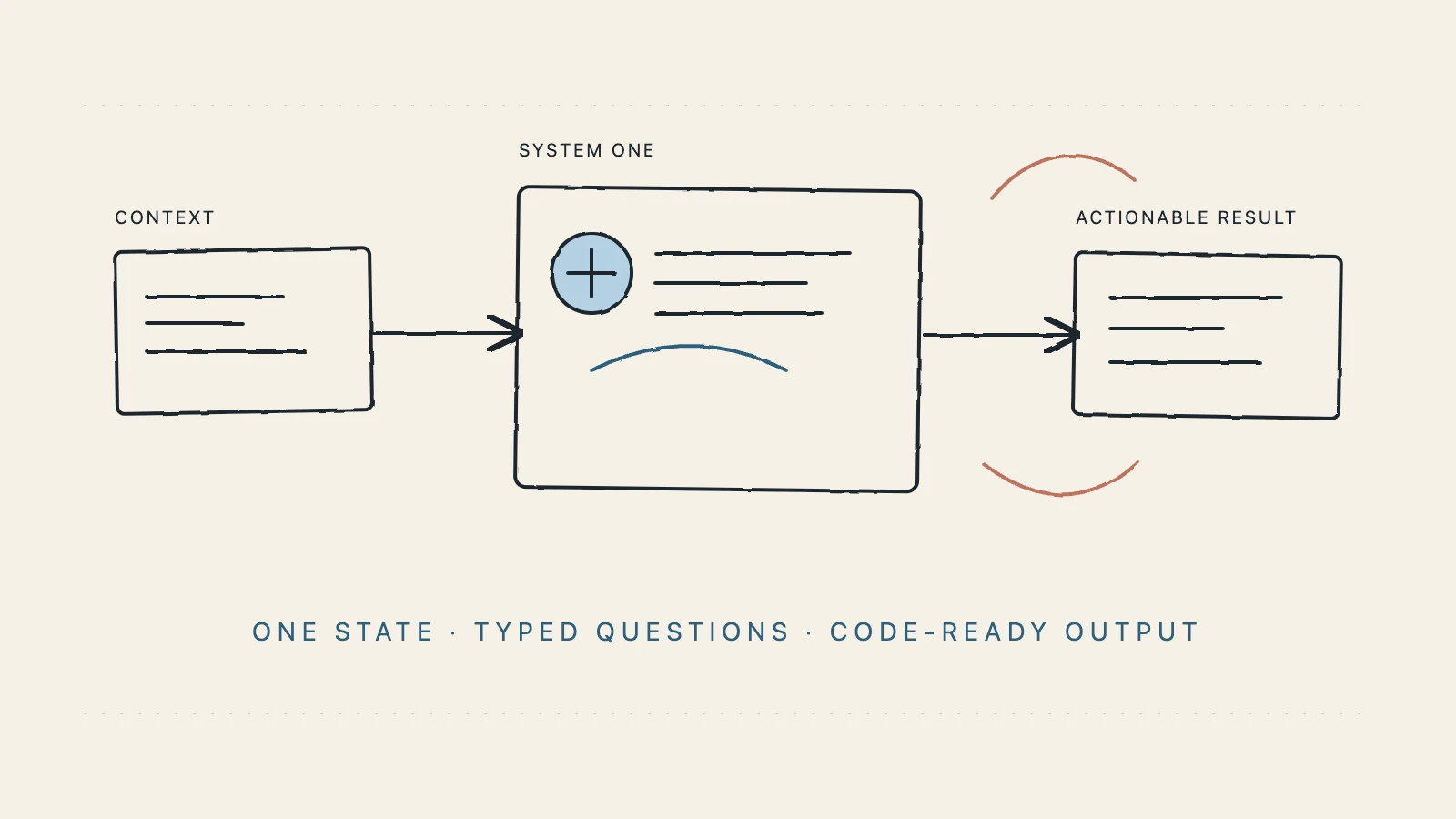
Send the context and ask a clear question. Get back a typed answer with a probability you can use in your own workflow.
- Typical decision latency
- Questions answered per request
- Question types: choice, score, noul
- Probability on every answer
Three deploys have failed and production is returning 500s. Should this be escalated to a person?
State sent to Jev Model

Jev · SystemOne
Decision model
// Illustrative result. Try your own case in the playground.
Try the Jev AI model online for free
Test Jev Model with a real scenario, define typed questions, and inspect a structured decision with probabilities.
The Jev Model playground is free with unlimited runs.
The connection is simple. Your business logic stays yours.
Jev Model does not ask you to rewrite your system. Separate state, questions, and the next action; the model only handles the decision in the middle.
- 01
Give it state
Use a ticket, message, form fields, or the structured context your agent already sees.
❯ state = ticket.text - 02
Ask the question
Describe the decision with choice, score, or noul. Ask multiple questions in one request.
❯ questions = { intent, urgent } - 03
Let code act
Use the result and its probability to queue, route, block, or request review. Your system keeps control.
❯ if result.urgent: escalate()
Jev AI model decisions inside your system.
The hardest product work is often not generating a paragraph. It is making small decisions many times a second without losing control.
intent = Choice(options=[…])
A defined answer space
Define possible answers up front and pass the result into functions, workflows, and databases.
0.94
needs_human · yes
Know when it is unsure
Use probability or confidence to decide whether the system should continue automatically or ask a person.
- intent
- urgency
- needs_human
- sentiment
Many answers from one state
Classify, score, and answer yes-or-no questions together instead of chaining separate calls.
if a.urgent.yes > 0.8:
    escalate(ticket)
else:
    queue.push(ticket)
Put the decision in code
Use it inside if, route, guardrail, and queue logic without another chat surface.
$ curl -X POST /v1/systemone
  -H "Authorization: Bearer sk_…"

200 OK · 118ms
A clear integration path
A consistent request shape, explicit schemas, and manageable API keys take you from test to production.
Examples that lead somewhere
Start with question types and state inputs, then follow an SDK or REST example into your system.
The decisions were already hiding in your code
Jev Model handles the decision itself. Your product still decides which model to call, when to queue, and when to ask a person.
a = jev.system_one(
    state=task,
    questions={"difficulty": Score(levels=4)},
)

model = "large" if a.difficulty.score >= 2 else "fast"
// trace
- difficulty.score1 / 3
- routefast
Connect your product with the Jev API
Understand Jev Model in the playground, create an API key, and connect a validated decision workflow to your product.
- REST-ready
- Typed schema
- Manageable API keys
from typesafe_sdk import Choice, Noul

response = client.system_one(
    state=ticket,
    questions={
        "intent": Choice(criteria={...}),
        "needs_human": Noul(
            instructions="Does this need a person?"
        ),
    },
)

# response.answers["intent"].choice
What a request looks like — Drop the decision into an existing service
# Start with the Jev Model Agent Skill

# 1. install
npx skills add jev-ai/jev-agent-skill

# 2. configure
export JEV_API_KEY="sk_your_key_here"
export JEV_LANGUAGE="en-US"
The agent still keeps control
Jev Model judges the decision. Your agent, application permissions, deterministic rules, and human approvals still control the final action.
Jev New AI for agent-ready decisions
Install the Jev Model Agent Skill, configure one API key, and let your coding agent use typed decisions for routing, guardrails, verification, and completion checks.
- 1
Install the Skill
Add the public Jev Model Agent Skill to Codex, Claude Code, Cursor, or another compatible agent.
- 2
Configure once
Set a Jev Model API key and choose English or Simplified Chinese for the onboarding and examples.
- 3
Ask for a judgment
Give the agent a bounded question; Jev Model returns a choice, score, or yes probability that code can use.
Jev API integration docs, from first decision to production
The docs follow the path developers actually take: understand the model, define questions, send state, and wire probabilities into code.
Quickstart
Create an account, prepare your first state and questions, and inspect the typed decision in the response.
Define questions
Use choice, score, and noul for classification, continuous scoring, and yes-or-no decisions. Ask multiple questions in one request.
Integrate
Create an API key, follow the SDK or REST example, and use probabilities and confidence to drive your application logic.
Know the boundaries
Jev Model currently accepts text, JSON objects, and arrays of text. Images, audio, and video are not supported yet; validate accuracy separately for non-English inputs.
What we are learning
Product notes, technical details, and practical ways to use Jev Model.

Developer Resources
What Is the Jev AI Model? A Practical Guide to Typed AI Decisions
A practical guide to the Jev AI model: how System One decisions use state, Choice, Score, and Noul questions, where Jev fits beside LLMs, and how to build safer production workflows.
Sep 25, 2026 · 13 min read

Developer Resources
What Is Jev Model? A Practical Guide to Typed AI Decisions
What is Jev Model? Learn how this System One model turns shared state and typed questions into structured, probability-backed decisions for routing, guardrails, scoring, and AI workflows.
Sep 25, 2026 · 13 min read
Developer Resources
Jev System One Model: A Practical Guide to Typed AI Decisions
Understand what the Jev System One model does, how State and typed Questions work, and how to connect probability-backed decisions to production software, APIs, and AI agents.
Sep 25, 2026 · 13 min read

Developer Resources
Jev Model Typesafe: A Practical Guide to Typed AI Decisions
Understand the Jev Model and its TypeSafe connection, then learn how typed questions, probabilities, and the Jev API fit into production software workflows.
Sep 25, 2026 · 11 min read
Plans and usage
Pricing
Jev Model turns unstructured state into typed decisions with probabilities for classification, routing, scoring, and safety checks. Choose monthly, yearly, or one-time access for your usage.
One-time plans do not auto-renew; credits remain available after purchase.
Starter
Validate one real workflow, from the playground to your first API call
- 100,000 credits, no expiry
- 1 workspace
- 1 concurrent request
- Standard speed
- Choice, score, and noul questions
- Typed decision output
- Probability and confidence results
- Online playground
- API key management
- Email support
Pro
Connect classification, routing, and safety decisions to a production product
- 1,000,000 credits, no expiry
- Unlimited workspaces
- 3 concurrent requests
- Fast lane
- Choice, score, and noul questions
- Typed decision output
- Parallel questions per request
- API access
- Usage and request history
- Priority support
Enterprise
For multiple workspaces, team collaboration, and custom production integrations
- 11,000,000 credits (10% extra included)
- Everything in Pro
- 10 concurrent requests
- Dedicated fast lane
- Team workspaces and collaboration
- Custom integration support
- Security and permission guidance
- Dedicated support
- Priority production processing
- Product roadmap feedback
FAQ
Questions, answered
A few quick answers before you start with Jev Model.
Use Jev Model online for free.
Test a real case in Jev Model, inspect the result, then connect the same request to your product.
Try the playground